
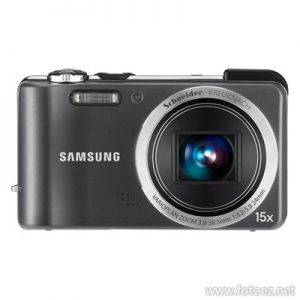
Samsung HZ35W's built-in GPS and Geo-tagging capability, you'll always know where you stand, literally, and you'll never forget where that fantastic photo was shot. From the Grand Canyon to the Great Wall of China, the HZ35W will pinpoint your location, POI (Point of Interest), and put it up on your LCD for all (or just you) to see. And you can use the same geographic information to easier manage large volumes of photos on your memory card or computer hard drive.
Samsung
Free Download and Print the Samsung DSLR, Interchangeable Lens Digital Camera, Compact Digital Camera, Lens & Accessories User Manuals, Handbooks and Operating Instruction Guide in PDF format. Including all the features and every detail about the Samsung's Photography Equipment.
Samsung TL500 (EX1) Camera User's Manual Guide (Owners Instruction)
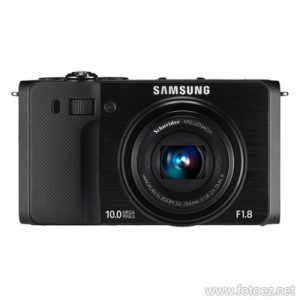
Samsung TL500 (EX1) digital camera will certainly turn heads with its ultra-wide 24mm F1.8 Schneider KREUZNACH lens with 3x zoom. You will also be impressed by the photos you take, guaranteeing you’ll get the most out of every moment — especially the light. With the EX1’s high-performance 1 / 1.7” CCD sensor, you’ll be taking the best possible photos in even the darkest conditions. It's time to get snap happy.
Samsung TL210 Camera User's Manual Guide (Owners Instruction)
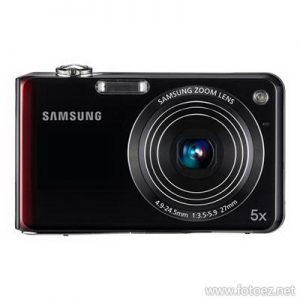
Samsung TL210 DualView Camera's dynamic Dual Display feature lets you see the shot on the 3.0" 230k TFT LCD and 1.5" Front LCD before taking it, so you can smile for the camera and be the photographer at the same time. The TL210 can even automatically frame and take the shot for you, capturing the moment perfectly. And say goodbye to tripods; its tilt-back body was also designed with taking the ultimate self-portrait in mind. Factor in its Smart Auto 2.0 feature that uses scene recognition to make sure you get the photo you're imagining, and you have a surefire memory maker in your hands.
Samsung TL220 Camera User's Manual Guide (Owners Instruction)
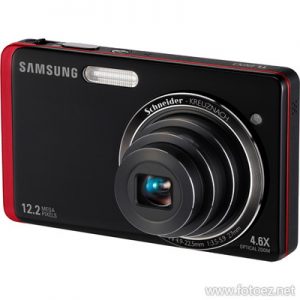
Samsung TL220 DualView Camera with a 1.5 inch front LCD screen - a revolutionary feature in the industry- lets you take part in capturing the moment like never before. The Samsung DualView Camera lets you see every scene in a completely new and exciting way. Just use the front LCD screen, and set up the perfect shot-with you in it-time after time. A host of top-ranked features and technologies, from the 4.6x / 27mm Schneider lens to the 3.5" Touch Screen with "haptic" technology, turns this camera into a true must-have. And the small, handheld size makes it easy to take it with you everywhere you go.
Samsung TL225 Camera User's Manual Guide (Owners Instruction)
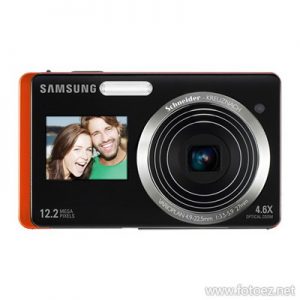
Samsung TL225 Digital Compact Camera with a 1.5 inch front LCD screen - a revolutionary feature in the industry- lets you take part in capturing the moment like never before. The Samsung DualView camera TL225 lets you see every scene in an exciting way. Just use the front LCD screen, and set up the perfect shot - with you in it - time after time. A host of top-ranked features and technologies, from the 4.6x/27mm Schneider lens to the 3.5 inch touch screen with "haptic" technology, turns this camera into a true must-have. And the small, handheld size makes it easy to take it with you everywhere you go.
Samsung TL205 Camera User's Manual Guide (Owners Instruction)
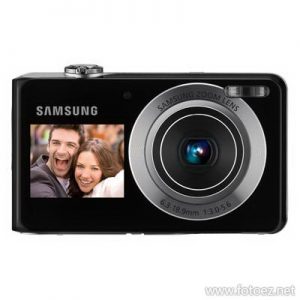
Samsung TL205 Digital Compact Camera has everything you need in one compact camera. 12.2 megapixels give you the power to capture memories with beautiful details. And with a 3x optical zoom, it's easy to get close to your subjects.
Samsung PL20 (PL21) Camera User's Manual Guide (Owners Instruction)
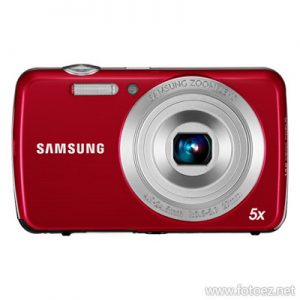
Samsung PL21 (PL21) is a 5x optical zoom and 14.2 megapixels Digital Compact Camera. Features such as Smart Auto Mode for fast action sequence and the Smart Filter Lens, which offers plenty of creative options, will help put the finishing touches on any shot. And with a 27mm wide angle lens, you can simply capture more. Anything from breathtaking scenic shots to close-to-your-heart group shots, it is all achieved easily with Samsung wide angle lens.
Samsung PL210 (PL211) Camera User's Manual Guide (Owners Instruction)
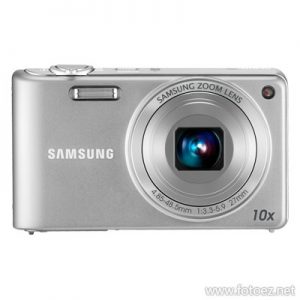
Give important moments the detail they deserve. With the super slim and stylish Samsung PL210 (PL211) compact camera you can utilize the 14.2 megapixels to inject true-to-life clarity into your shots. You will need to see it to believe it. Also enhancing your experience is the 10x optical zoom and HD video camera, which means memories will be kept fresh and perfect for revisiting. And with the Smart Auto Recognition, you don’t even have to worry about your focusing skills…it does it for you automatically.