
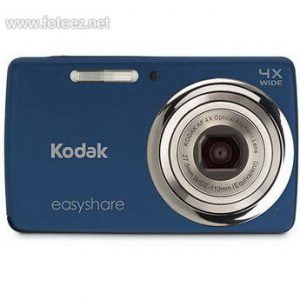
Light up your social life with the sleek Kodak EasyShare Camera M532. Capture all the juicy details when you're out on the town. Then switch seamlessly to video to bring the excitement to life in stunning HD. Now, let the sharing begin. Just press Kodak's Share button to get your favorites ready to e-mail to friends and Kodak Pulse Digital Frame or upload to Kodak Gallery, Facebook, Twitter, YouTube, flickr, Orkut, Yandex and kaixin001 sites.
Digital Camera
Digital Cameras, Lenses & Accessories Specifications, User Manuals, Reviews & Buying Guides
Kodak EasyShare M550 Camera User's Manual Guide (Owners Instruction)
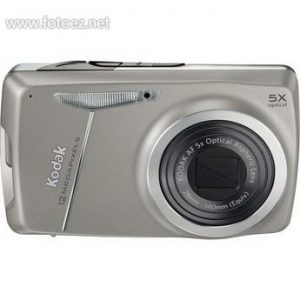
Kodak EasyShare M550 Digital Camera is compact and easy to use, with a 12.3 megapixel image sensor, and a large, bright 2.7-inch LCD screen, plus a stylish slim design. The 28-140mm 5x optical zoom lens (35mm equivalent) allows you to take photos in tight spots and still capture a subject in the distance. Advanced face detection, blur reduction, and high ISO technologies keep all of your subjects looking their very best. Scene select modes such as Portrait, Landscape, and Fireworks simplify exposure for a variety of complex shooting situations. There's even a Panorama stitch mode that allows you to combine up to three shots into one large picture.
Kodak EasyShare M552 Camera User's Manual Guide (Owners Instruction)
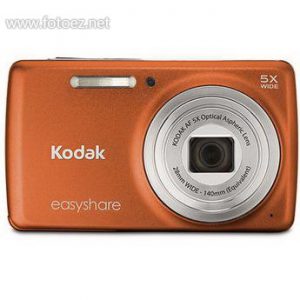
You're having too much fun to keep it all to yourself. That's why you need the Kodak EasyShare Camera M552. Yeah, it's sleek and small, but it's also perfect for fitting in the whole crew without cutting anyone out. Kodak's even found room to add a dedicated HD video button for capturing those crazy nights out on the town. Then, press Kodak's Share button to e-mail to friends and Kodak Pulse Digital Frame or upload to Kodak Gallery, Facebook, Twitter, YouTube, Flickr, Orkut, Yandex and Kaixin001 sites. Now the fun can begin.
Kodak EasyShare M575 Camera User's Manual Guide (Owners Instruction)
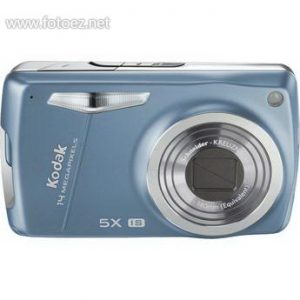
The Kodak EasyShare M575 Digital Camera features share button that allows you to tag pictures directly from your camera for e-mailing, or uploading to YouTube, Facebook, Flickr and Kodak Gallery sites, plus e-mail too. The real Kodak Moment happens when you share. With Kodak's Share button, uploading your pictures is amazingly simple.
Kodak EasyShare M583 Camera User's Manual Guide (Owners Instruction)
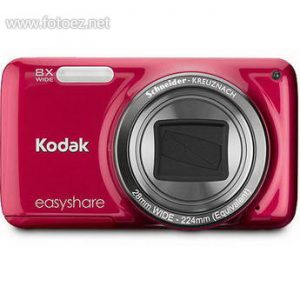
Kodak EasyShare M583 Digital Compact Camera is a lustrous 14MP compact camera with a secret weapon: a sharp 8x wide-angle 28-224mm (equivalent) Schneider-KREUZNACH zoom lens, from one of the world's premier lens makers. Starting with a true wide-angle 28mm that's ideal for landscapes, architecture or group photos of all your friends, the zoom range takes you all the way to a 224mm true telephoto that's great for capturing action, sports, or wildlife.
Kodak EasyShare M580 Camera User's Manual Guide (Owners Instruction)
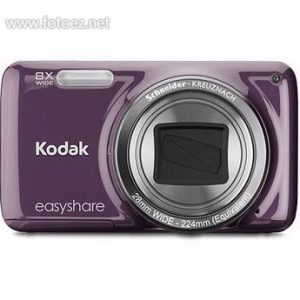
Kodak EasyShare M580 Digital Compact Camera has a stylish slim design but still has many features. Compact and easy to use, the camera features a 14 megapixel image sensor that allows you to make poster size prints. The large and bright 3" LCD screen makes it easy and fun to compose your image even in bright sunlight. The 28mm 8x optical zoom lens allows you to take photos in tight spots and still capture your subject in the distance. Advanced face detection, image stabilization, and high ISO technologies keep all of your subjects looking their very best. Twenty-two scene modes such as Portrait, Landscape, and Fireworks simplify exposure for a variety of complex shooting situations. There is even a Panorama stitch mode that allows you to combine up to three shots into one large picture.
Kodak EasyShare M590 Camera User's Manual Guide (Owners Instruction)
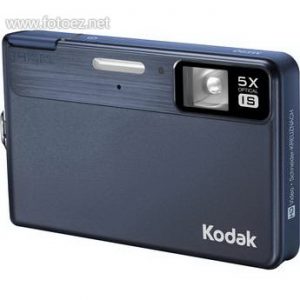
Whatever the moment brings, sharing crisp, sharp pictures is simple with the Kodak EasyShare M590 Digital Camera. The world's thinnest 5x optical zoom digital camera boasts a fashionable and modern design. And Kodak's Share Button keeps you connected to family and friends long after the flash goes off. Tag pictures directly from your camera for e-mailing or uploading to Kodak Gallery, YouTube, Facbook, FLICKR and Orkut sites.
Kodak SLICE (R502) Touchscreen Camera User's Manual Guide (Owners Instruction)
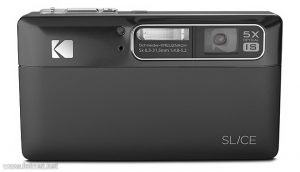
With the KODAK SLICE (R502) Touchscreen Camera, you can carry your pictures everywhere--without taking up space on your memory card. The SLICE features a built-in photo album that lets you view and organize a portable version of your entire photo collection via the vibrant touchscreen display. And when you press Kodak’s Share button, you can tag pictures for upload directly to KODAK Gallery, YouTube, FACEBOOK, and FLICKR sites, as well as e-mail. You’ve always kept your pictures close to heart. Now you can have them all right at your fingertips. The real KODAK Moment happens when you share.