
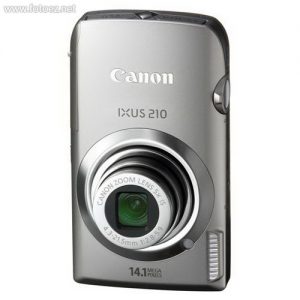
Touch. It's always been the heart of communication. Simply put your finger to the brilliant 3.5-inch wide PureColor System Touch Panel LCD screen, and the versatile excellence of the Canon PowerShot SD3500 IS (IXUS 210/ IXY 10S) Digital ELPH is at your command. Naturally, a camera this smart and intuitive knows a few things about style. Color gleams, while smooth curves reveal a definite edge.
Digital Compact Camera
Canon PowerShot SD4000 IS (IXUS 300 HS / IXY 30S) Camera User's Manual Guide (Owners Instruction)
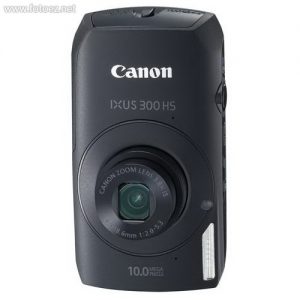
Loaded with first-of-its-kind features and high-end capabilities, the Canon PowerShot SD4000 IS (IXUS 300 HS / IXY 30S) Digital ELPH gives ELPH lovers all new reasons to step up.
Never before has Canon equipped an ELPH with a back-illuminated CMOS sensor-driven HS SYSTEM or an f/2.0 lens - both of which deliver incredible images in low light. And shooting action or sporting events has never been so fun, with High-Speed Burst mode and the Super Slow Motion Movie function to mix things up. You'll control shots like a pro with Aperture- and Shutter- priority modes, and play your 720p HD movies effortlessly on your HDTV.
Canon PowerShot ELPH 500 HS (IXUS 310 HS) Camera User's Manual Guide (Owners Instruction)
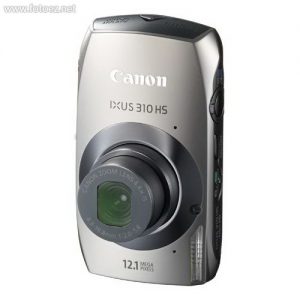
Experience an even more intuitive touch panel technology with the Canon PowerShot ELPH 500 HS (IXUS 310 HS) digital camera.
Do almost everything right on the LCD - like choosing an AF point, set exposure settings and record videos - all with the touch of one finger.
Canon PowerShot SD4500 IS (IXUS 1000 HS / IXY 50S) Camera User's Manual Guide (Owners Instruction)
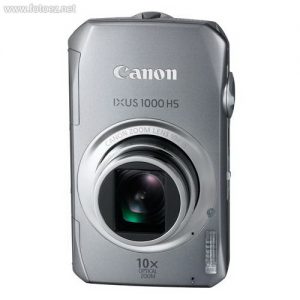
Significant technology upgrades and a richly sophisticated design make the Canon PowerShot SD4500 IS (IXUS 1000 HS / IXY 50S) Digital ELPH camera so easy to say "yes" to.
Your best shot is never too far away, thanks to a hugely powerful lens that boasts a 10x Optical Zoom. Your videos will have all the lifelike realism of Full HD (1920 x 1080) – and you'll share them instantly on your HDTV with a simple cable connection. You'll shoot what you want, when you want, and in every situation your images will be better than you ever imagined.
Canon PowerShot A495 Camera User's Manual Guide (Owners Instruction)
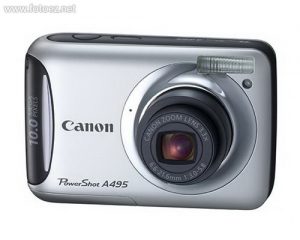
With its streamlined silhouette and smoothly-curved edges, the Canon PowerShot A495 has the compact sophistication and relaxed simplicity that make it a natural for beginners and everyone else who craves style and convenience.
The 10.0 Megapixel resolution and 3.3x Optical Zoom make it easy to capture the action in dazzling color and brilliant detail. The DIGIC III Image Processor keeps it all looking sharp. To help you make the most of your creativity, new Scene Modes make your photographs standout. A bright, bold 2.5-inch LCD makes shooting and playback a genuine pleasure. Plus, choose from any of three dazzling colors.
Canon PowerShot A490 Camera User's Manual Guide (Owners Instruction)
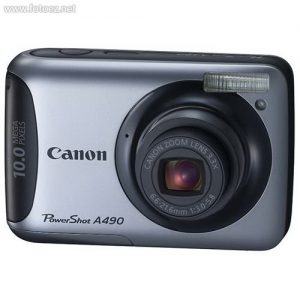
Canon PowerShot A490 digital compact camera has excellent functions, high image quality and simple camera operations at competitive prices.
Scene Detection incorporates a new Smart Flash Exposure function which allows users to take more natural-looking photos with ease. The new Low Light mode supports the maximum ISO speed of 3200, which provides improved performance in challenging lighting conditions. Equipped with DIGIC III Digital Image Processor and these new features, image quality is greatly enhanced.
Canon PowerShot A800 Camera User's Manual Guide (Owners Instruction)
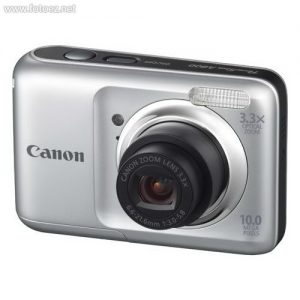
Compact, stylish, and colored to suit your personality, Canon PowerShot A800 digital camera puts the power to create beautiful quality digital photography in anyone's hands.
Smart AUTO makes getting your best shot easy every time by automatically and intelligently selecting the proper settings for the camera based on 19 predefined shooting situations. Own the power of 10.0 Megapixels and a 3.3x Optical Zoom that let you capture a wealth of gorgeous detail up close. PowerShot A800 makes it easy and fun to inject creative options into your photography with exciting Scene Modes like Super Vivid and Poster Effect. New Blur Reduction ensures crisp, clear shots in all kinds of situations.
Canon PowerShot A1200 Camera User's Manual Guide (Owners Instruction)

Canon PowerShot A1200 digital camera is all about capturing your memories your way.
An Optical Viewfinder gives you an easy, familiar alternative to composing shots with an LCD screen. Smart AUTO takes care of all the details while you focus on getting the shot you want, by intelligently selecting the proper settings for the camera based on 32 predefined shooting situations.